
Your data stays yours.
Your business data stays in your database. VedaUI stores only how your software is built — pages, settings and connections — and checks every request on the server.
Business data is never copied into VedaUI.
API keys and passwords encrypted, shown masked.
Roles checked on the server, not just hidden.
Each run in its own locked space.
Data goes from your systems to the person allowed to see it — nowhere else.
The browser gets the page design and the rows it asked for. Keys, passwords and queries stay on the server.
Your systems
Your source of truth stays where it is. No scheduled copies into VedaUI.
VedaQL + VedaUI server
Every call is checked here first: who is asking, what their role allows, and which release is live.
The browser
People see only the pages and data their role allows.
What VedaUI keeps, and what stays with you.
What VedaUI keeps
How your software is built.
- Pages, components, themes and menus
- Connector and function settings (keys encrypted)
- Roles, sign-in settings and releases
- Automation rules, schedules and a short run history
- Message delivery status, with the recipient masked (or none at all, if you choose)
- The team members of your workspace
What stays in your systems
Your business data.
- Customers, employees and their details
- Invoices, payments and orders
- Tickets, requests and their history
- Uploaded files — in your own storage bucket
Six ways VedaApps keeps your software safe.
Your data stays in your database
VedaQL and VedaUI read and write your own database or your existing APIs when a page asks. Your customer records are not copied into VedaUI.
Secrets stay on the server, encrypted
Database passwords and API keys (payment, SMS, email) are stored encrypted with AES-256 and shown masked. Connectors run on the server, so the browser never sees a key.
Roles checked on the server
You choose who can open each page and who can use each connector and function. The server refuses everyone else — pages a person may not open are not even sent to them.
Sign-in sessions you control
Sign-ins are server sessions: sign-out ends them, idle sessions expire, and you can allow one session per person. Accounts lock for 15 minutes after 10 failed sign-ins.
Custom code in a locked sandbox
Small JavaScript functions run in their own isolated space on the server: no access to the server’s files or settings, limited memory and time.
Safe releases
Draft → QA → approval → live, with a full history and one-click roll back. A built-in check lists open data and missing setup before you publish.
Controls you can see.
Real screens: releases you can roll back, automatic blocking in VedaQL, and AI tokens that only do what you allow.
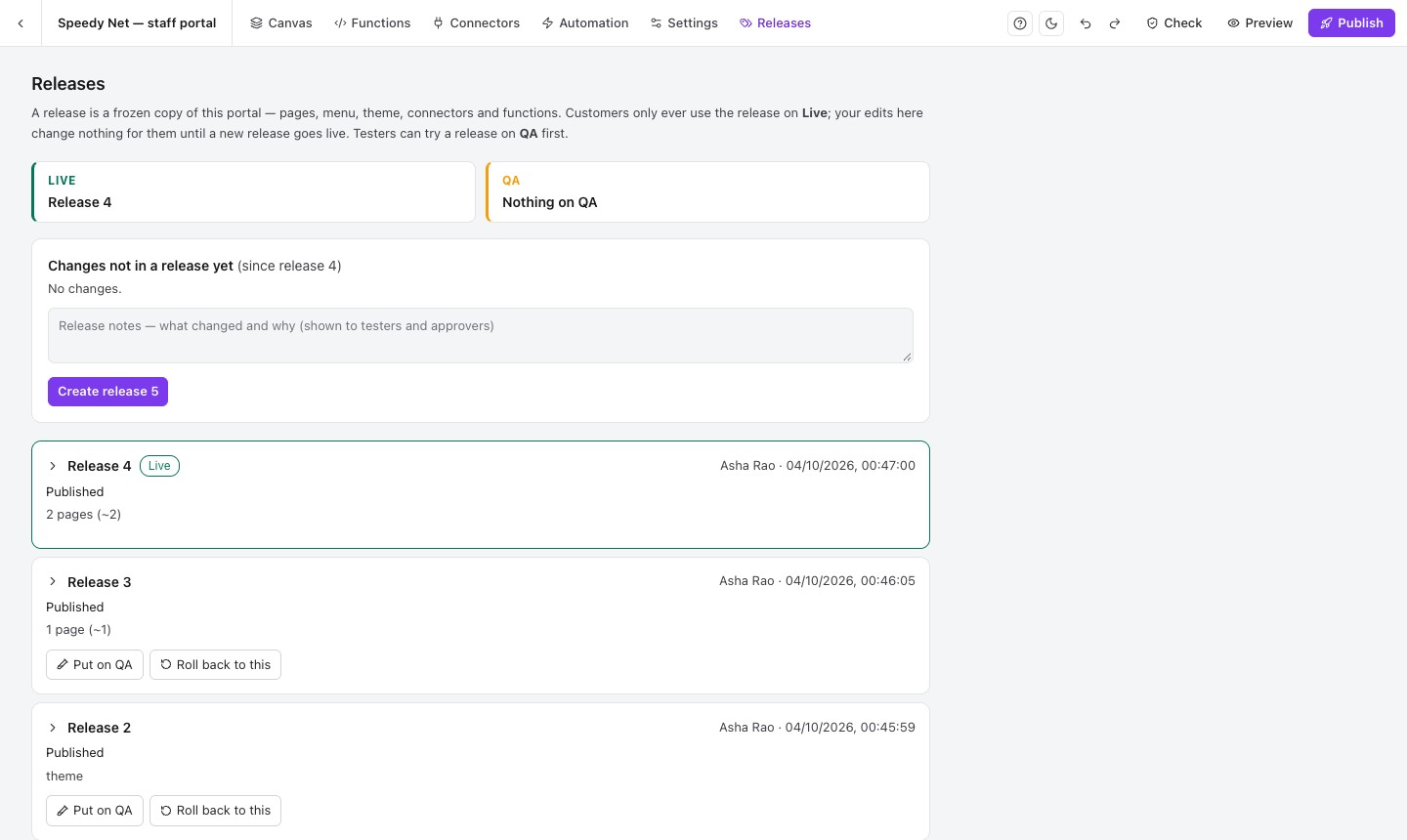
Releases
Every publish is a frozen release. Test, approve, go live — or go back.
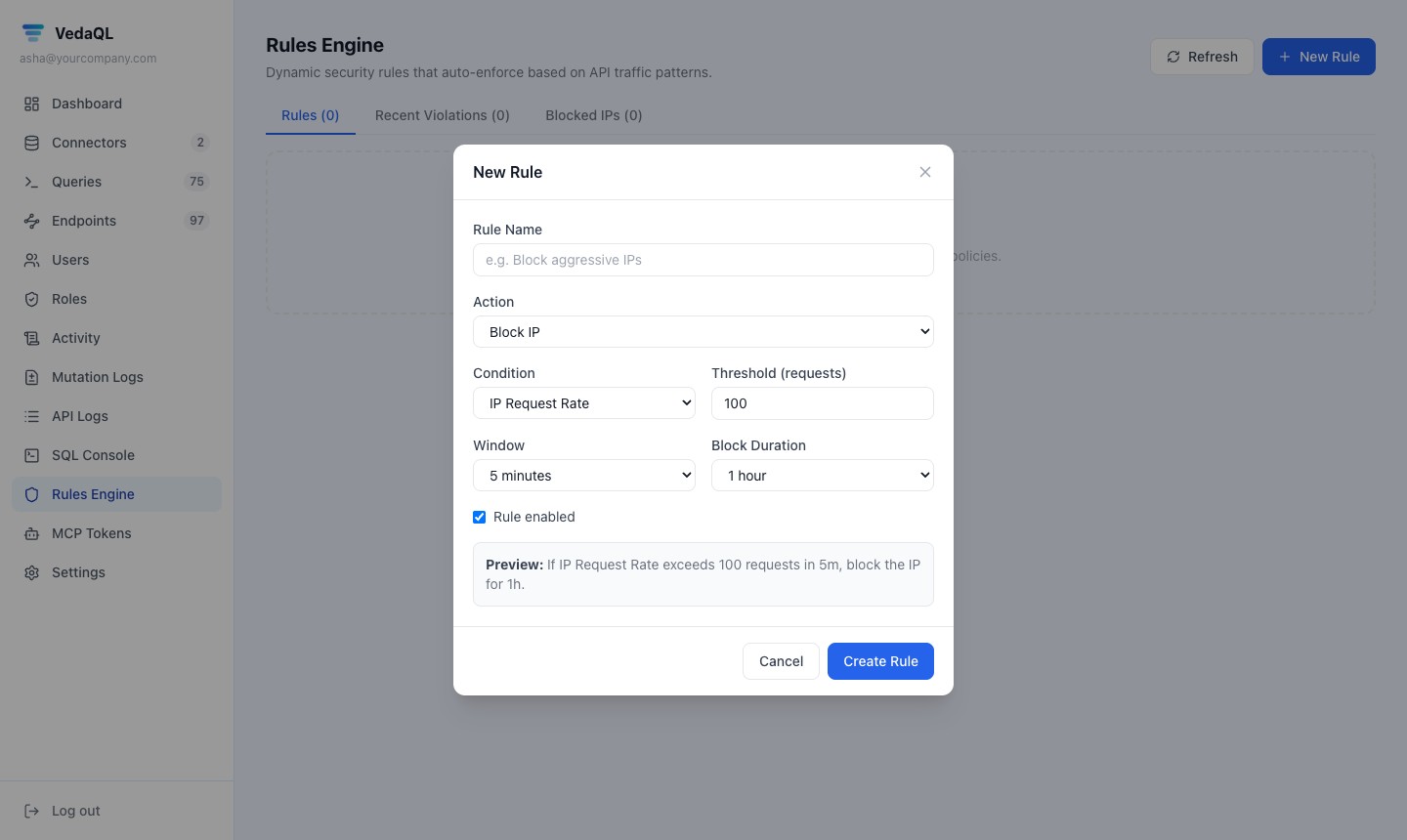
Automatic blocking
VedaQL rules block an IP after too many requests or errors.
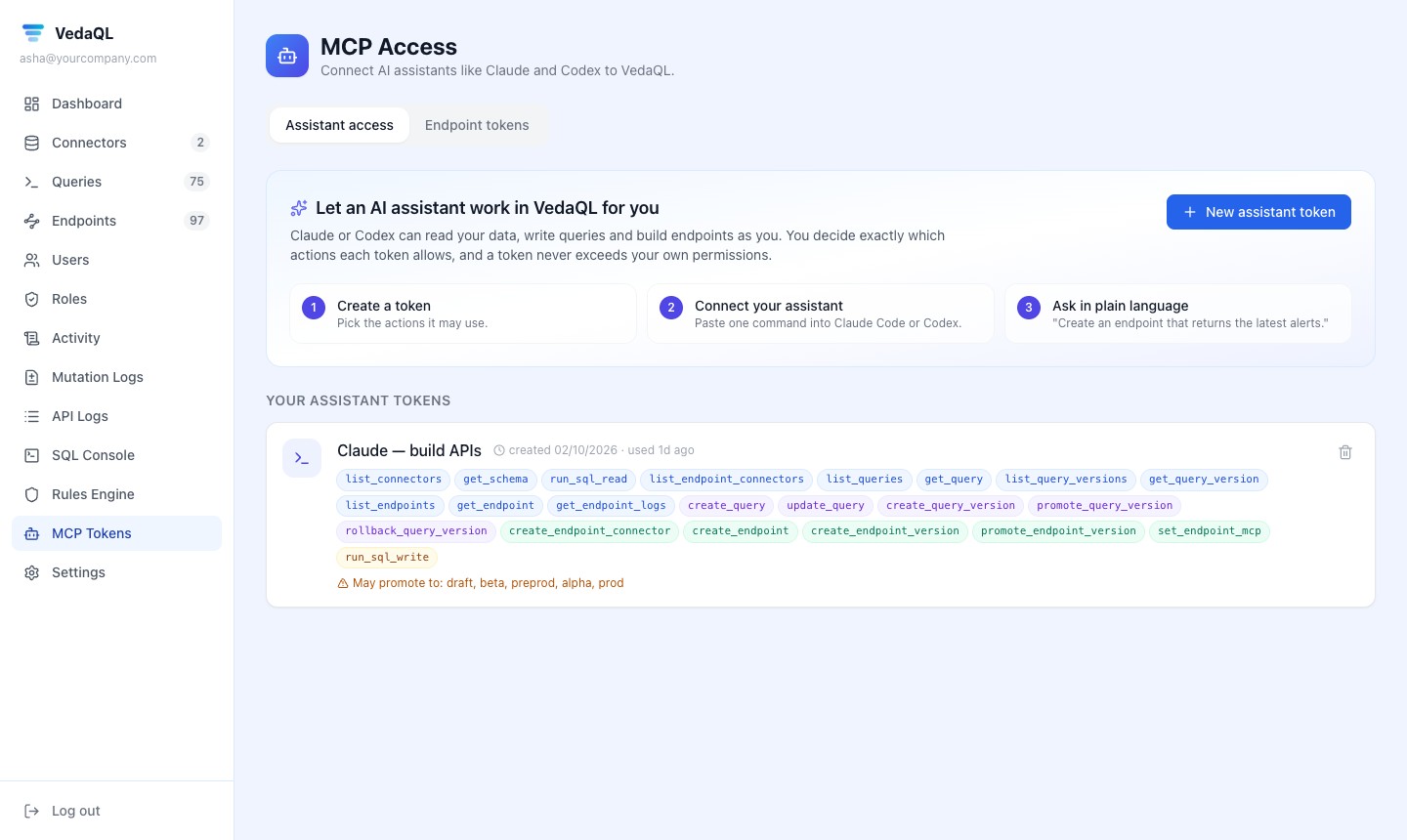
AI with limits
An assistant’s token gets only the actions you tick.
A built-in check finds what's easy to miss.
Before a release goes live, the check lists data that anyone signed in could read, actions open to every role, missing setup and broken links — each with a button to fix it.
Need answers for your security team?
Tell us what you need to know — hosting, where data is kept, or running VedaUI on your own server (it installs as a set of Docker containers).
See it with your own eyes in 2 minutes.
Start a 7-day trial — no card needed. We set up a sample project for you: open it, change it, publish it.